Find with the filter searchVideosSearch & FindThe filter search allows users to refine their search queries by selecting specific criteria or properties that the data or objects they are looking for should meet. These criteria could include properties such as size, type, material, manufacturer and other specific characteristics of the 3D model.
Find with 3D Grid Search Example Pipe BendVideosSearch & FindA common thinking error when introducing geometric similarity search products is that engineers have an idea which can be found without any problems. In reality, however, this is not so. The real problem, which is often overlooked, is that an object must first exist in 3D in order to be found at all. But often the creation of such a geometry takes longer than the search.
Find with 2D sketch search with color information Example grab handleVideosSearch & FindThe 2D sketch or photo search with color information leads very quickly and easily to a good result.
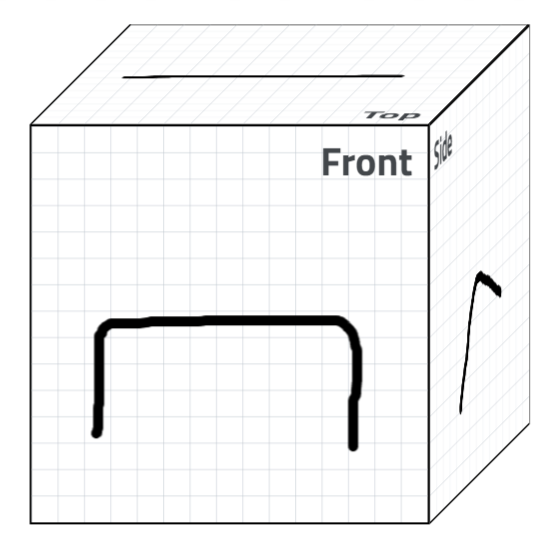
Find with the 2D Sketch function VideosSearch & FindWith the sketch function and some geometric values a search can be performed WITHOUT the presence of a geometric 3D object.
Find with the supplier country filterVideosPurchase Department The specification and consideration of supplier countries can be important in the engineering or manufacturing industry for several reasons:
Find with a combination of search methodsVideosSearch & FindWhen searching for 3D models and parts within ENTERPRISE 3Dfindit, combining different search methods can lead to more accurate and relevant results.
Find with an image/photo searchVideosSearch & Findin photo search with a phone, also called "Reverse Image Search", allows users to use an image as a search query to find similar 3D CAD models - Digital Twins or relevant information about the image in ENTERPRISE 3Dfindit. Here is how it normally works:
Find with a 3D scan and the Spareparts Assistant extensionVideosMaintenance, Repair & Order (MRO)The goal of the extension for mobile devices is to support service technicians in the field with a mobile and AR-based assistance system in the search and assembly of urgently needed spare parts, e.g. for manufacturing plants, escalators or elevators. In doing so, a 3D scan of the initial components via smartphone or tablet is used to start a Geometric Similarity Search from 3Dfindit.com powered by CADENAS, which shows users a list of geometrically similar components. 3Dfindit.com is a technical search engine that, thanks to numerous innovative search functions, currently searches over 5000 manufacturer catalogs for matching 3D CAD
Finding with predictive engineering KOGNIAVideosSearch & FindIn recent decades, the requirements for engineering and the creative development of designs have changed significantly: Instead of reinventing the wheel over and over again, the task today is to use knowledge already gained from existing designs and to transfer known solutions from one application to another in a meaningful way. This is particularly important with regard to the increasing number of individual designs, where existing designs are precisely adapted to the individual needs of the customer.
Find with the LIVE search within the CAD systemVideosSearch & FindLIVEsearch is a variant of the geometric similarity search that runs automatically in the background during modeling - regardless of the CAD system used. This provides the engineer with information on existing, similar parts during the design process.