2D Search
Sketch the part you are looking for or have a photo described in text form
Create image description with AI
Drag and drop file here, browse or
Supported file formats: .PNG, .JPG, .JPEG, .WEBP

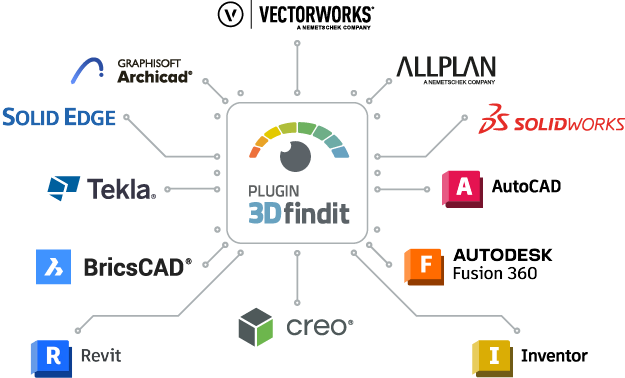
PLUGIN 3Dfindit - Direct integration into your CAD system

With PLUGIN 3Dfindit, you can access 8,424 catalogs directly from your CAD environment. The native import provides you with all relevant geometry data, meta information, and design attributes—without detours or post-processing.

The installation instructions for your CAD system can be found further down this page.

Already using a PLM system?

Discover how to search and manage CAD parts directly from within your PLM environment – with the PLM integration of ENTERPRISE 3Dfindit.

How to find the plugin in the toolbar of your CAD system after installation

Further integrations of our partners

General questions about PLUGIN 3Dfindit

What is the PLUGIN 3Dfindit?
The plugin for 3Dfindit enables you to integrate it into a large number of CAD systems free of charge. The plugin integrates seamlessly into the user interface of the CAD system used and offers you access to numerous manufacturer-verified 3D CAD models directly within the program interface. You can search for specific parts, components or products and import the 3D models found directly into your CAD project.
Can I use PLUGIN 3Dfindit together with a PLM system?
No, PLUGIN 3Dfindit does not work together with a PLM system. In order to integrate 3Dfindit into your PLM system, you need our Enterprise 3Dfindit solution. You can find more information about the Enterprise solution here.
How do I install the plugin for 3Dfindit?
Download the plugin and start the MSI installation file with a double click. Carry out the installation of the new plugin. During the process, you have the option of selecting the desired CAD system.
Which CAD systems are supported?
The following CAD systems are supported: Allplan, ArchiCAD, AutoCAD, BRICSCAD, Creo Direct, Creo Parametric, Fusion 360, Inventor, Revit, Solid Edge, SOLIDWORKS, Tekla, Vectorworks.
What other systems offer integrations?
There are further installers for integration with 3Dfindit for the following systems: FreeCAD, AVEVA, Onshape
Where can I find PLUGIN 3Dfindit in my CAD system after installation?
In the attached screenshots in the list of supported systems you have a detailed overview of where you can find the plugin.
In which CAD systems is 3Dfindit already pre-installed?
3Dfindit is pre-installed in the following CAD systems: ARES Mechanical CAD, Bausoft Haustech CAD, CADdy, CARF, CAXA CAD, Gstar CAD, HiCAD, KeyCreator, Palette CAD, scSTREAM, WinMOD-SIMLINE Assistant, STRAKON, TRICAD MS, VidiPlus, VISI CAD, fe.screen-sim
Compare multiple parts
Add at least 2 products with