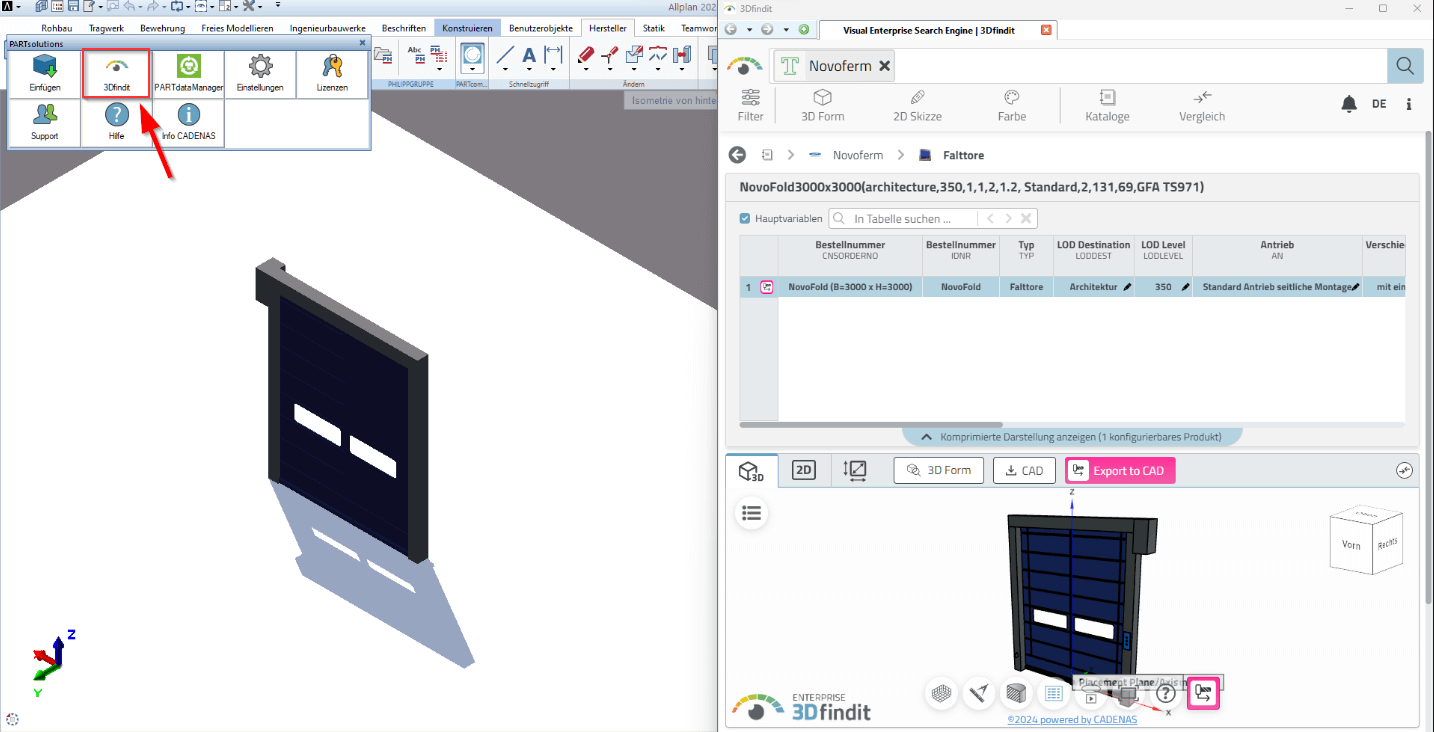
Allplan


With this plugin, you can access an extensive collection of CAD models available on the CADENAS platform. Depending on the Allplan version used, access to 3Dfindit differs.
Allplan 2025 - PLUGIN 3Dfindit is already integrated (no plugin required)
As of Allplan 2025, 3Dfindit is fully integrated in Allplan. A separate plugin installation is no longer necessary.
How to use 3Dfindit in Allplan 2025:
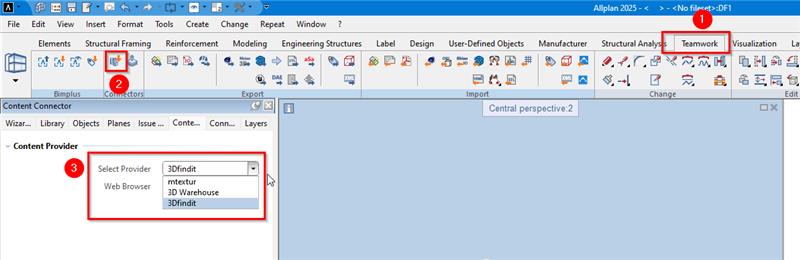
1. go to the "Teamwork" tab.
2. select "Content Connector".
3. select "3Dfindit" from the drop-down menu under "Select Provider".
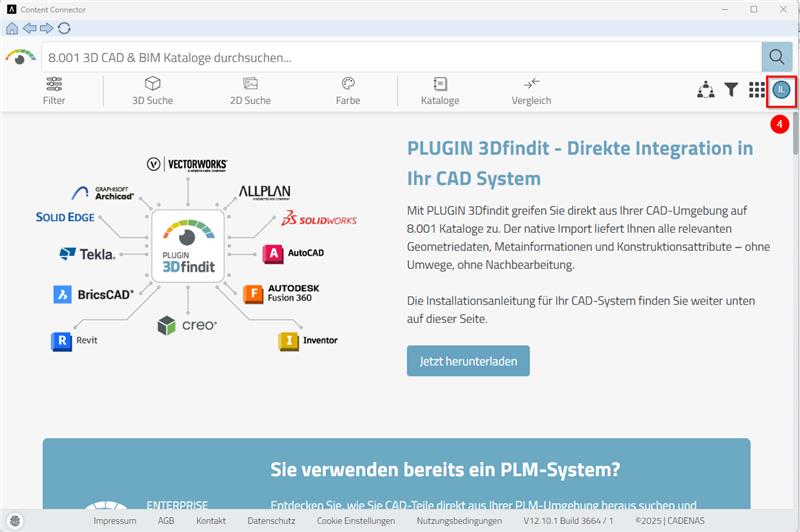
4. as soon as the "Content Connector" window opens, you will see that you are on the 3Dfindit page. Log in there and select your part.
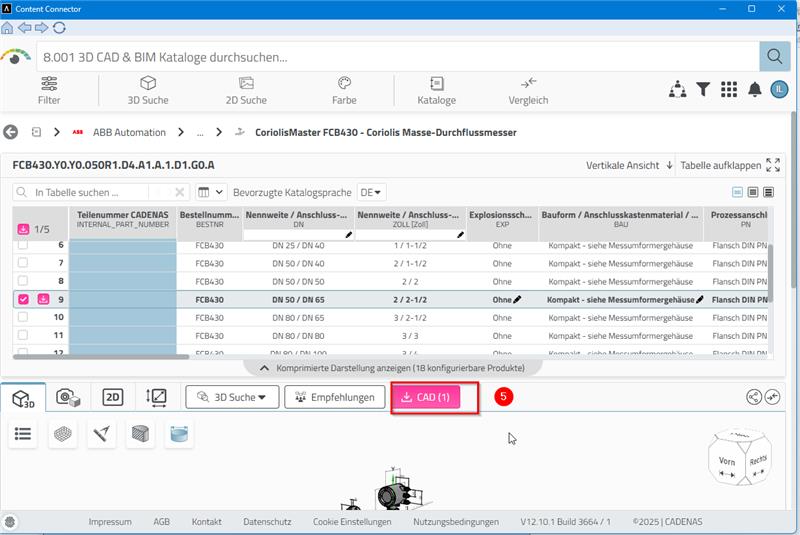
5. search for the desired part and click on the "CAD" button
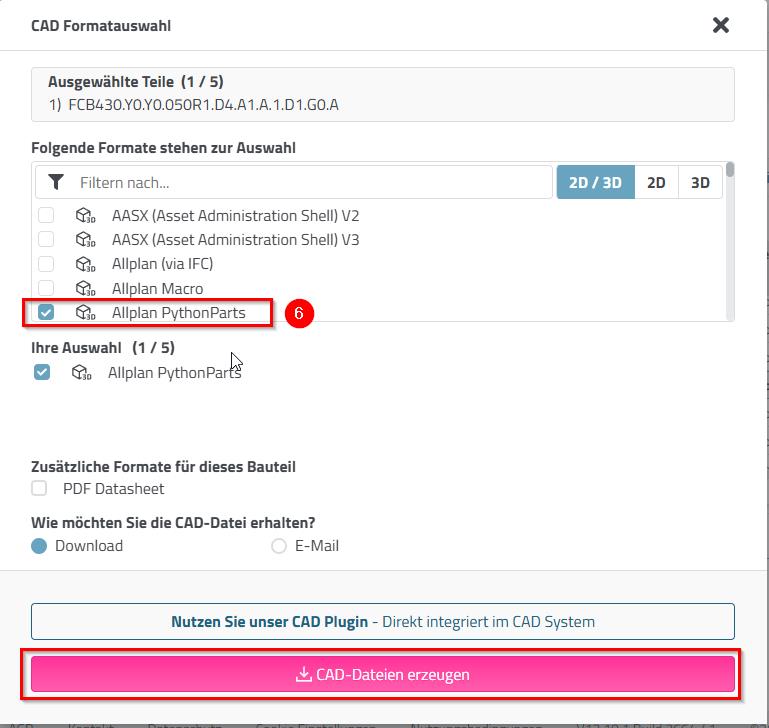
6. select the "Allplan PythoParts format" and click on "Create CAD files".
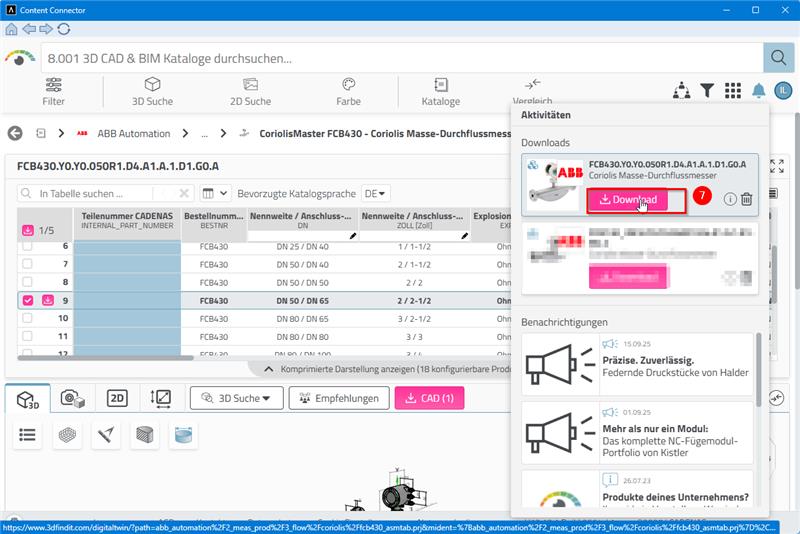
7. click on "Download" and insert the part in Allplan
Allplan up to and including 2024 - Using the PLUGIN 3Dfindit plugin
For Allplan versions up to and including 2024, the plugin is still required.
Installation
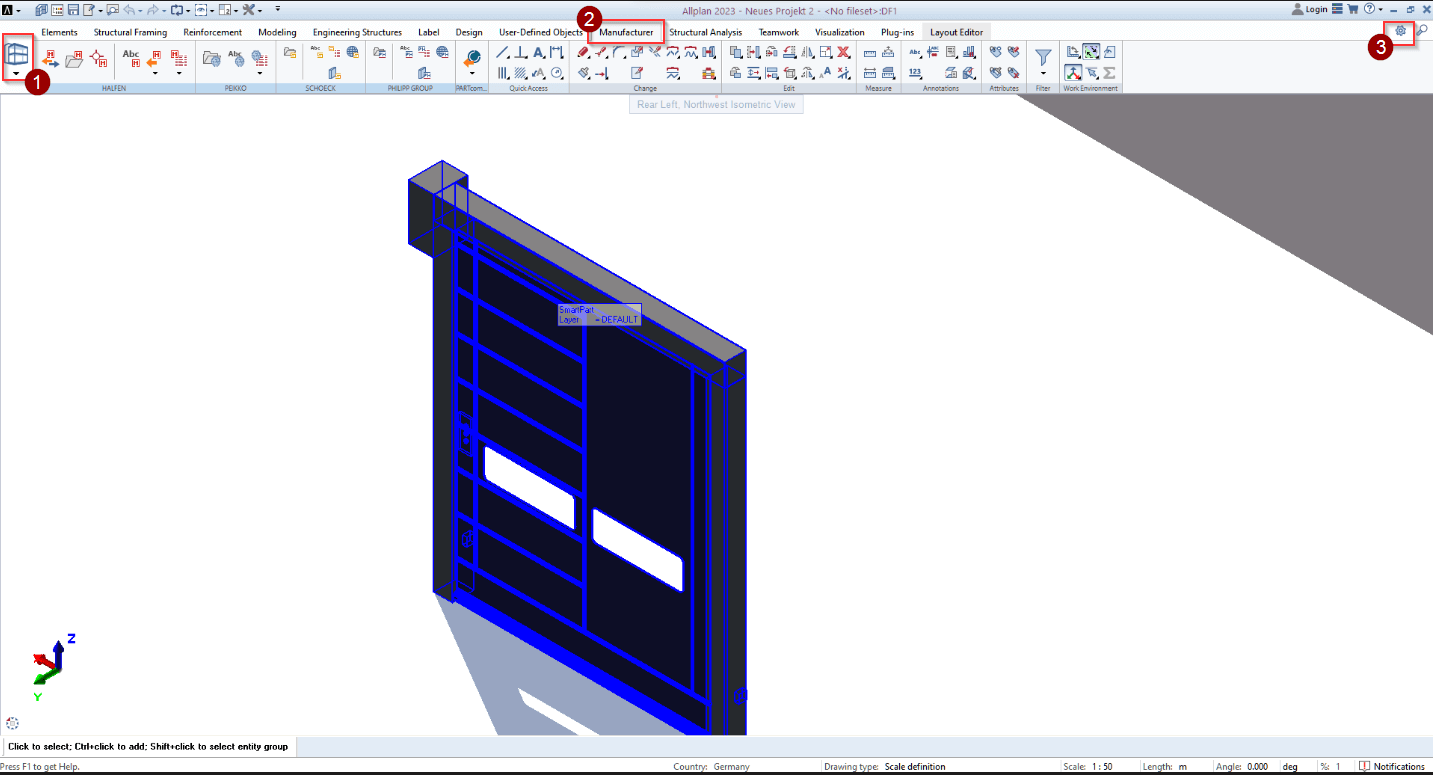
To start the PLUGIN 3Dfindit after installation, proceed as follows:
- Select the "Engineering" environment in the CAD ribbon
- Select the "Manufacturer" tab
- Click on the gear wheel
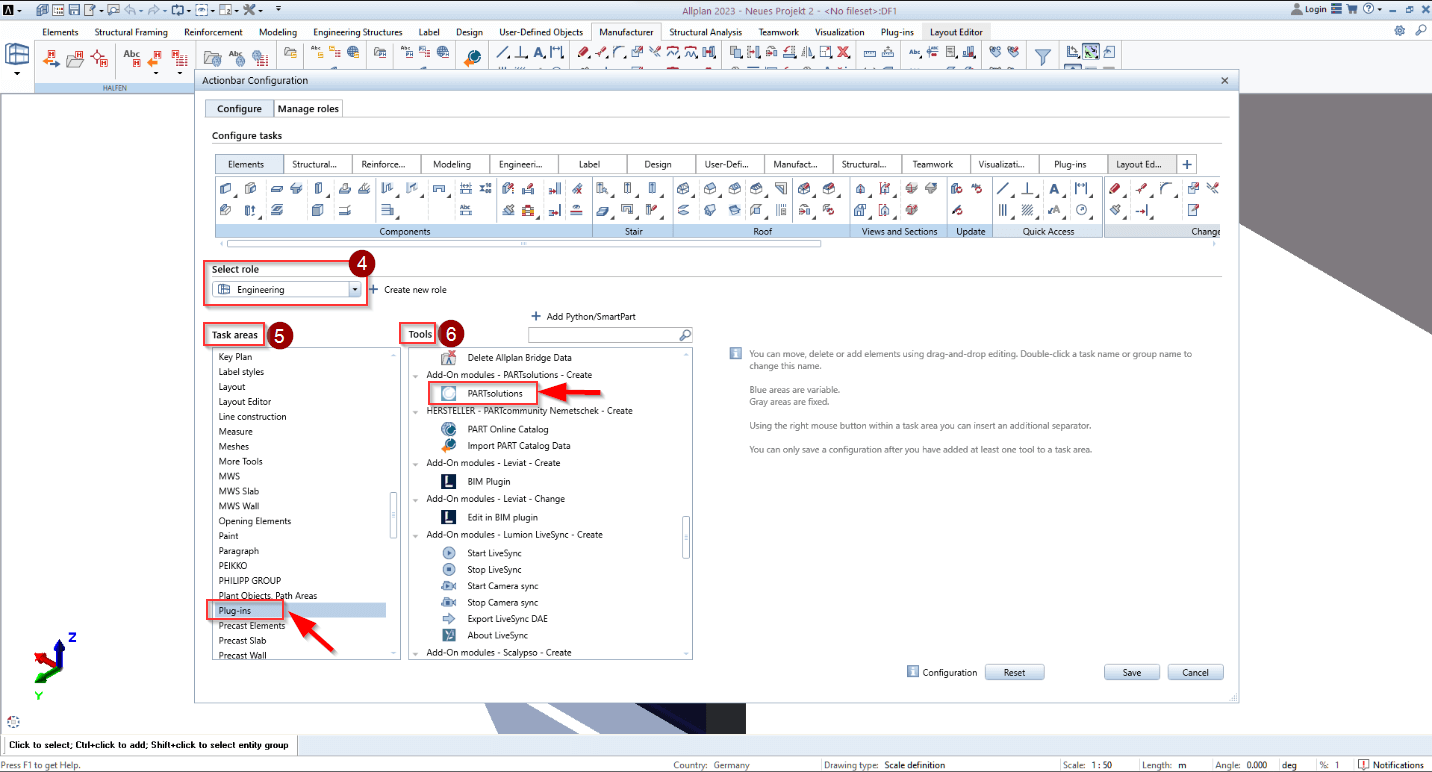
- Under Select, choose the "Engineering" role
- Select "Plugins" under the "Areas" task area
- Search for "PARTsolutions" under Tools
- Drag the PARTsolutions icon at the top of the tool collection to the desired position.
The plugin opens as a separate window and contains a search bar and various filter functions.