


Table of Contents
Sharing:


Uploading and converting a photo to 3D
Upload an image to your catalog and let us automatically convert it into a 3D model. Try it out now!

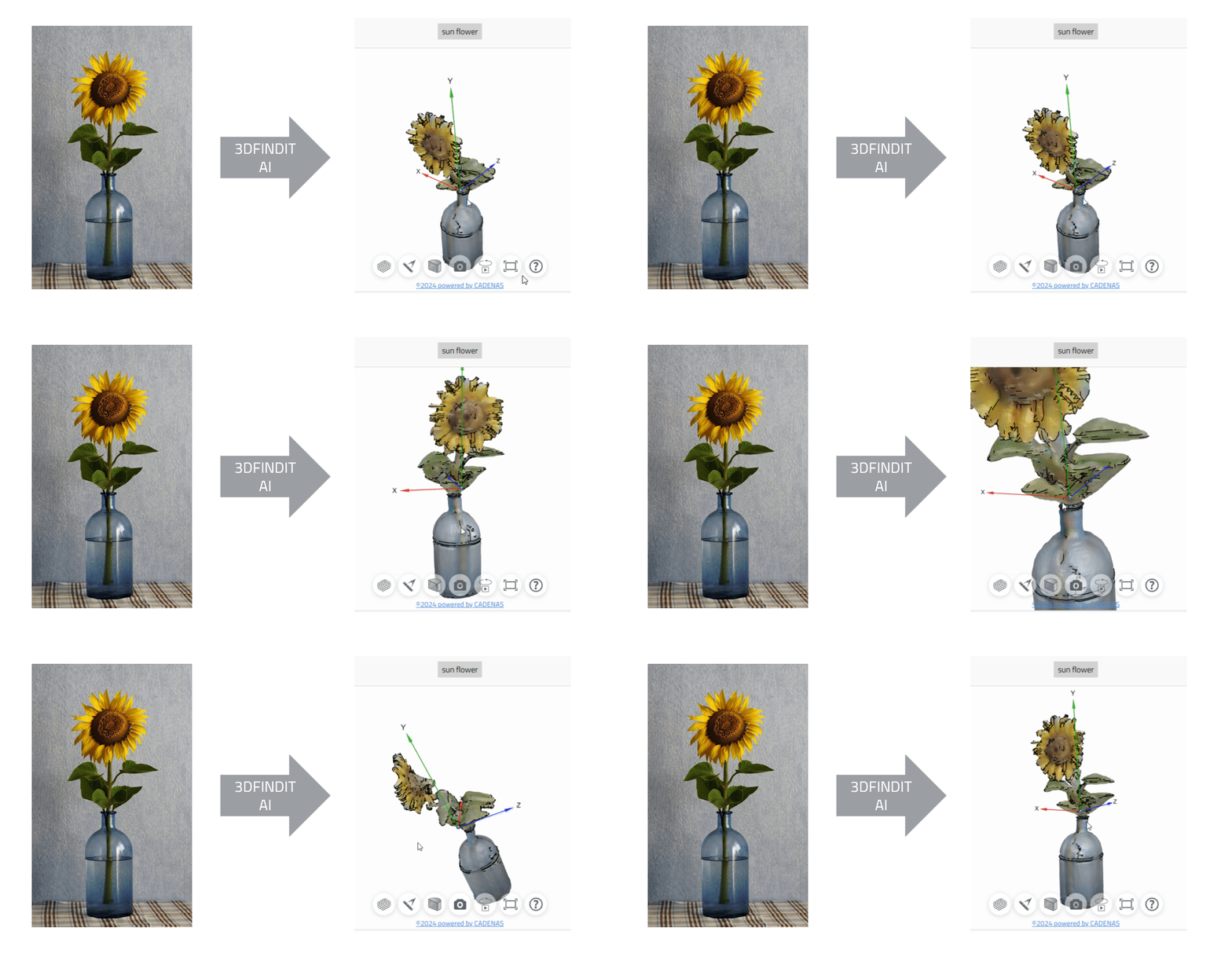
It has never been easier to create a 3D model. Simply upload an image and convert it into a 3D model. We'll show you how to do it:
User content settings
Go to the administrative page of your user content.
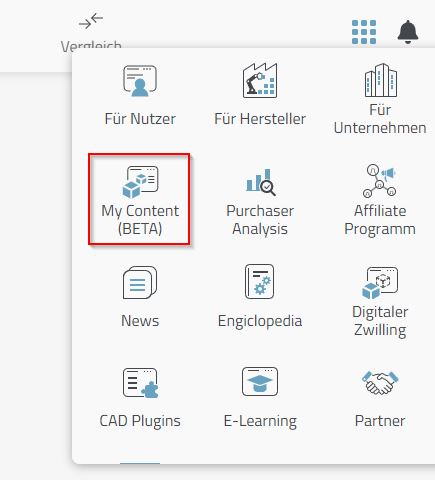
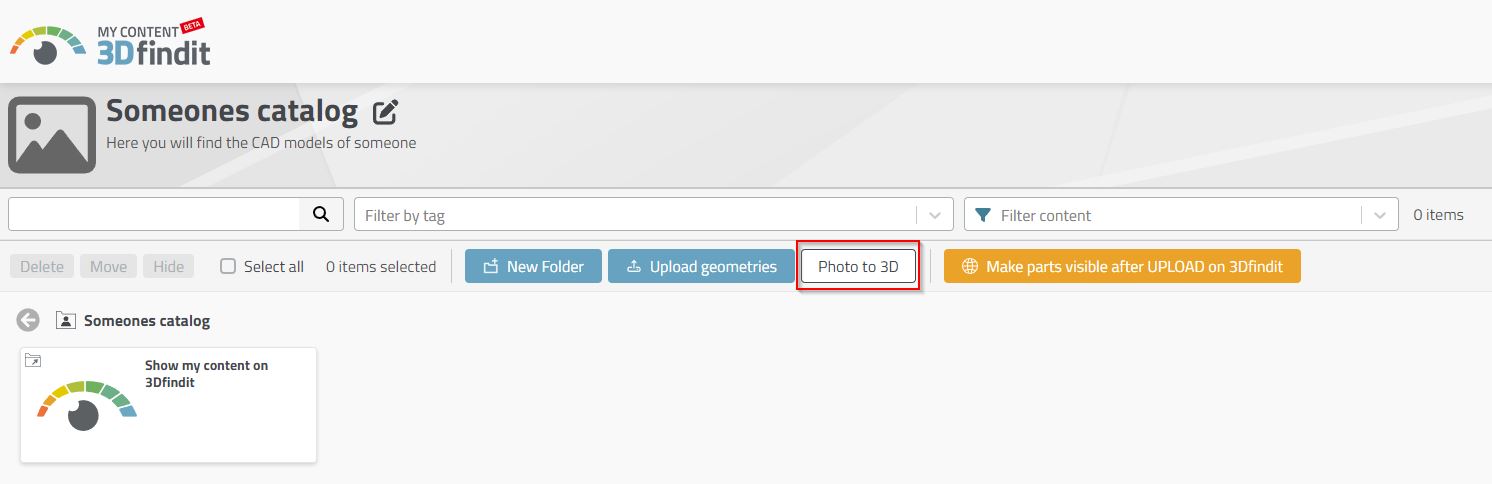
Select and upload a photo
Select the "Photo in 3D" button.
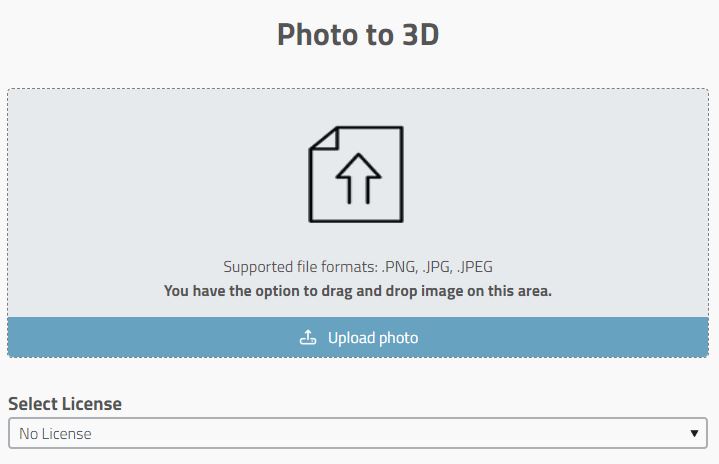
Upload your photo or use the drag & drop function.
A 3D model of your photo will be available after approx. 30 seconds.
Publish in 135 formats
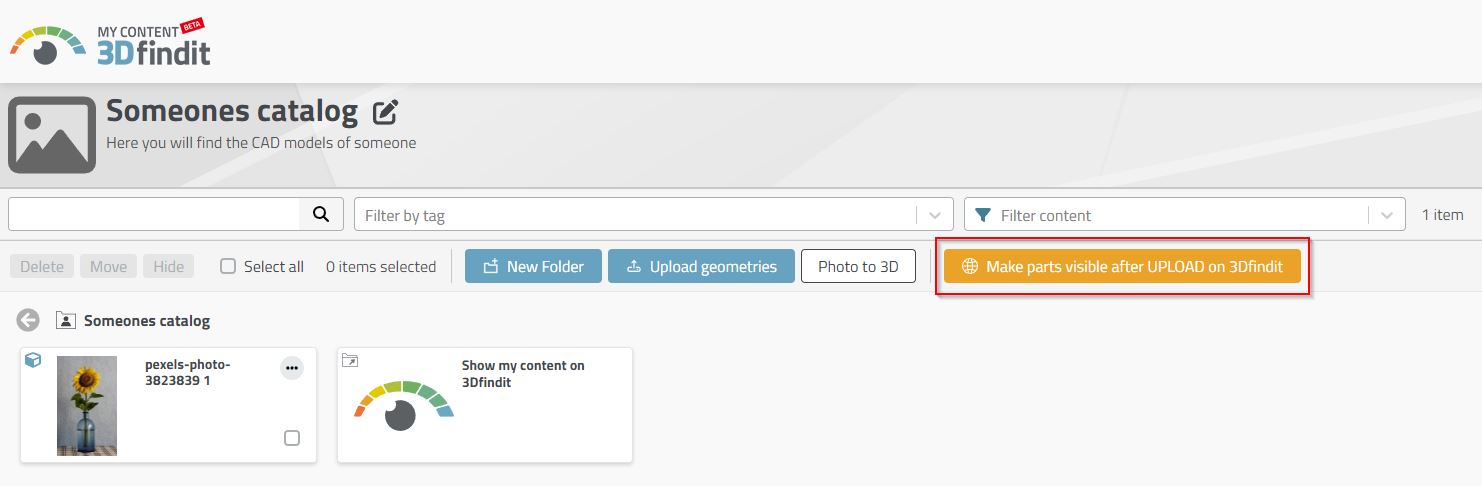
To make your photo or new 3D model available in 135 formats, publish your model using the "Make parts visible on 3Dfindit after UPLOAD" button. Your parts will be available in the user library after approx. 2 hours.
Conversion in the video
In the following video you can see an example with a sunflower.


